
The idea of a Second Brain really catches me. Bye bye endless hours of searching for a document, weblink or any snippet. Hello to an easy folder structure that allows me to find anything I need in the right moment.
Is it that simple? Yes and no.
I am a big fan of Tiago Forte and his comprehensive method.
And I am a big fan of keeping things simple and just get started.
So here we are-looking at the simplest way to structure anything you need in your Personal Knowledge Management System aka Second Brain by following the C.O.D.E. approach (Capture-Organize-Distill-Express). To keep it super simple, I only focus on the C and the O.
And I break it down to way how to use the O:
It’s called the PARA method.
The idea is super simple. You have a system that allows you to catch your notes in certain areas.
Let‘s first look at the two steps of this super basic method:
- Choose any note taking app you want (even iPhone notes is great, I will show you an example below)
- Create a simple folder structure to store your ideas (come to that in a second)
And here is the idea behind PARA:
PARA stands for Projects, Areas, Resources, and Archives. Let‘s look into the individual fields.
Projects:
These are your current, active tasks with a clear goal and deadline. Think of things like “Launch new website” or “Complete quarterly report.” If it has an end date, it’s a project.
Areas:
Areas are different from projects – they’re ongoing responsibilities without a specific end date. Examples include “Health,” “Finances,” or “Career Development.” These are the parts of your life you need to maintain over time.
Resources:
This is where you store information that might be useful in the future. Articles, reference materials, notes from meetings – all these go into Resources. It’s like your personal library of knowledge.
Archives:
Finally, Archives is where you put things that are no longer active but you might need to reference later. Old projects, past reports, and completed tasks find a home here (and it‘s great to see your list of current projects shrinking at the same time).
Here is a simple overview in iPhone notes of the folder structure:
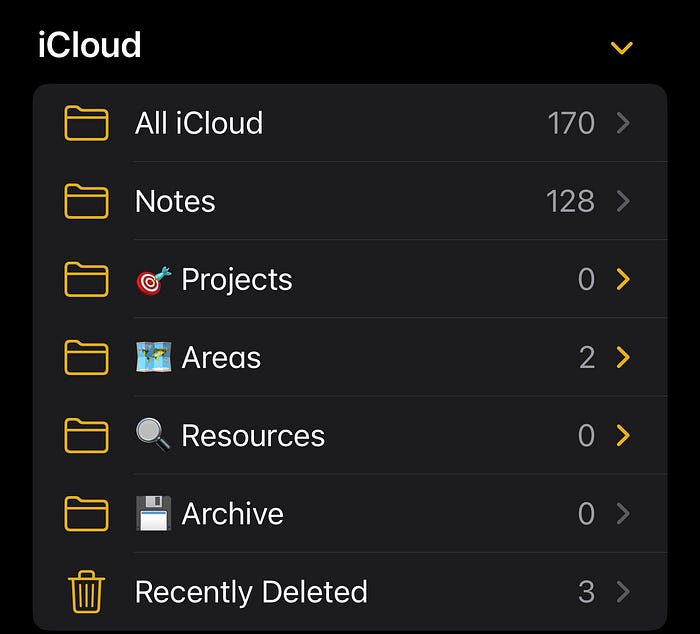
One level below you see an example of the sub-folder for the category ‚areas‘:
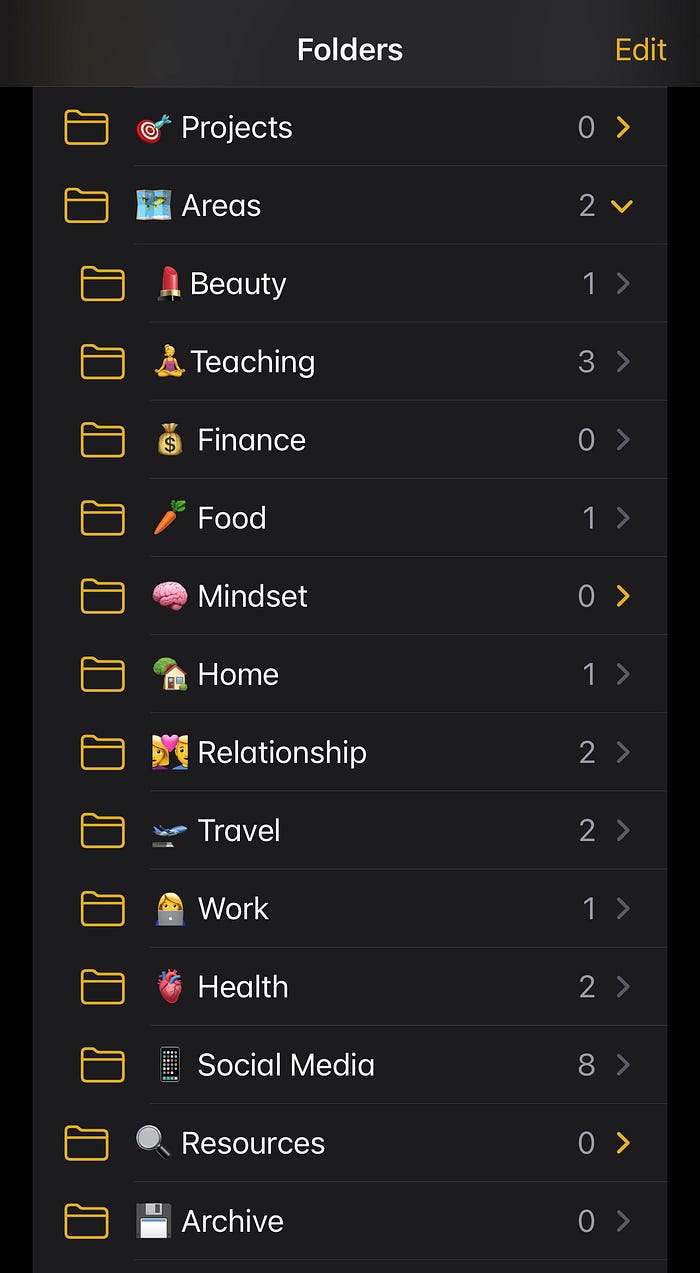
So now go step by step through the topics that keeps you awake at night:
- Create the titles and folders
- If you have already a library, then transfer the content you like to keep
- The rest is for the archive. And here I would use the same method as when you are moving apartments: all boxes in the cellar or storage that you do not touch in months, might not be useful at all
- Most important: keep things simple and just get started. Start with a set of folders and check on the run if you need to adapt them
- Now start using it on a daily basis and see how it’s working for you. Capturing information should be simple: Take notes, save important links, pictures, ideas. Whatever pops up in your mind, save it. Very often ideas flow when we are not sitting at work behind the table.
What Follows? Distill and Express
Once you’ve mastered capturing and organizing your information using the PARA method, it’s time to take things to the next level with Distill and Express.
Distill:
This step is all about extracting the essence from your notes and resources. Summarize the key points and highlight actionable insights. Think of it as boiling down a huge pot of soup to its most flavorful broth. It’s about making your information easy to review and ready to use.
Express:
Now, take those distilled insights and share them. Whether it’s writing a blog post, giving a presentation, or teaching a friend, expressing your knowledge solidifies your understanding and helps others too. It’s about turning your insights into impactful actions and sharing your brilliance with the world.
Using PARA can transform your workflow from chaotic to organized. Perfect, if you can have one tool where everything is stored. I personally love to use tools like Notion or ClickUp, but even if you start by sorting your mail inbox with PARA, you have made a huge step forward.
It’s about making sure everything has its place, so you can focus on what really matters: getting things done and stress less.